
Product details
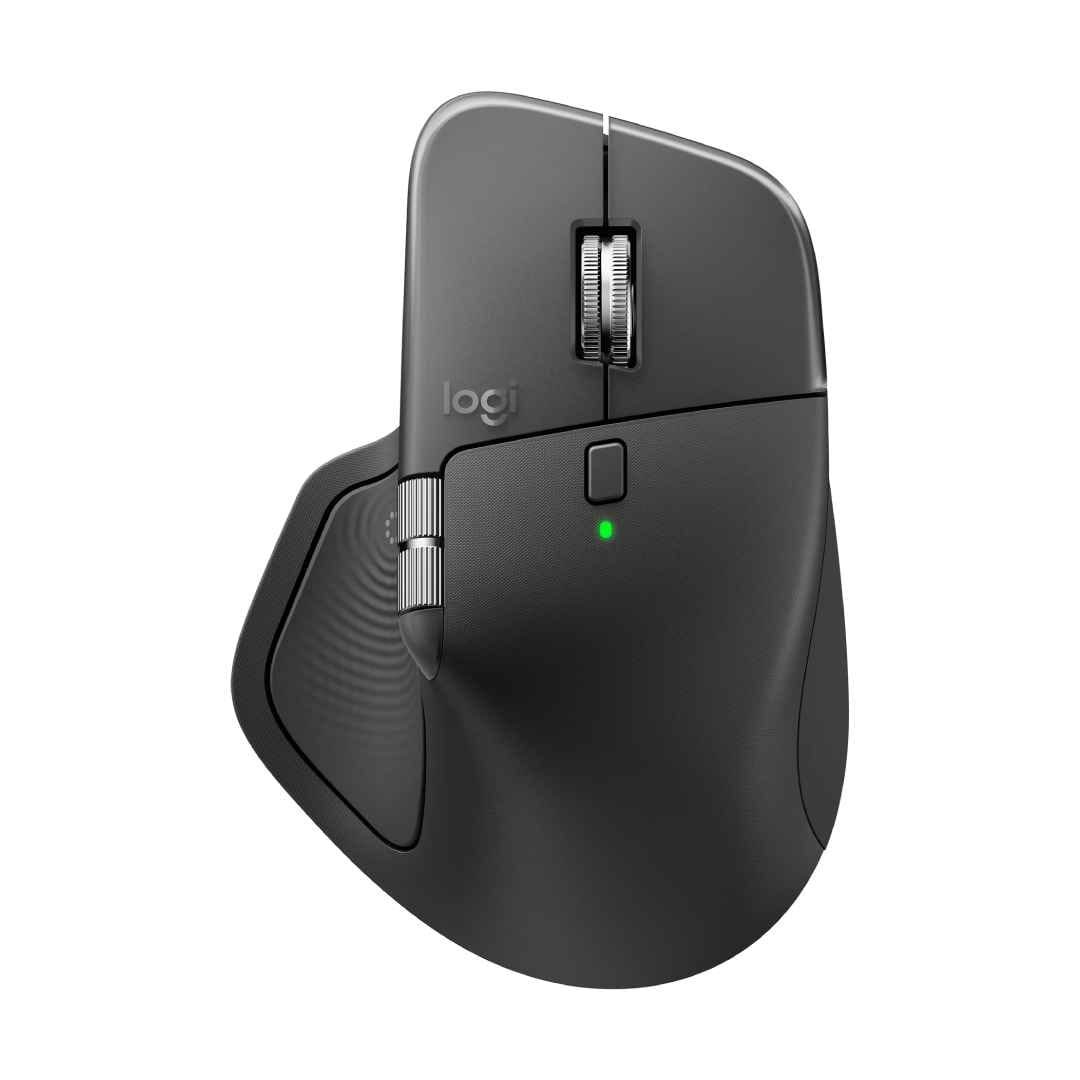
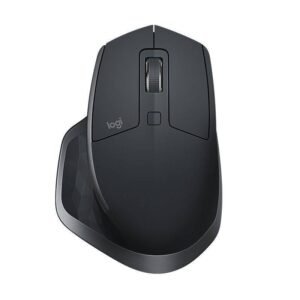
Logitech MX Master 4 Wireless Mouse Price in Kenya
The Logitech MX Master 4 wireless mouse represents a notable advancement in the realm of computer peripherals, designed for professionals and enthusiasts who demand precision and enhanced functionality. Building on the solid foundation established by its predecessors, the MX Master 4 incorporates a series of refinements and innovations that cater to the evolving needs of users. Its importance in the wireless mouse market cannot be overstated, as it combines ergonomic design with cutting-edge technology.
One of the primary enhancements of the MX Master 4 lies in its improved sensor technology. Featuring Logitech’s Darkfield™ sensor, it boasts an exceptional tracking capability of up to 8,000 DPI, allowing seamless functionality on various surfaces, excluding glass. This feature enhances not only accuracy but also versatility, making it ideal for diverse working conditions.
The design of the MX Master 4 has also been meticulously optimized for comfort during prolonged use. The sculpted shape fits naturally in the hand, reducing fatigue and enabling users to work efficiently over extended periods. Additionally, the mouse includes customizable buttons and the innovative MagSpeed scroll wheel, which provides a hyper-fast scrolling experience, allowing users to navigate lengthy documents and web pages effortlessly.
Furthermore, the Logitech MX Master 4 integrates advanced wireless technology, facilitating connectivity via Bluetooth or the included USB receiver. This flexibility ensures compatibility across various devices, including laptops and desktops. The seamless switching between devices enhances productivity, particularly for users who work across multiple gadgets.
In summary, the Logitech MX Master 4 wireless mouse is a sophisticated tool that elevates the user experience through its advanced features, comfort, and connectivity options. As we delve deeper into this review, we will explore its performance and capabilities, providing insights for potential buyers considering whether to invest in this state-of-the-art peripheral.
Key Features and Specifications
The Logitech MX Master 4 Wireless Mouse offers a range of features designed to enhance user experience and productivity. One of the standout attributes is its ergonomic design. The mouse is sculpted to fit comfortably in the user’s hand, reducing strain during prolonged usage. This design is particularly beneficial for professionals who spend long hours on their computers, promoting comfortable hand positioning and minimizing fatigue.
In addition to its ergonomic benefits, the MX Master 4 utilizes advanced wireless connectivity options, including Bluetooth and Logitech’s Unifying Receiver. This dual connectivity ensures versatile compatibility with various devices, allowing seamless switching between up to three computers with the touch of a button. Users can easily multitask between different systems, which is a significant advantage for individuals managing multiple workloads.
Another prominent feature is the customizable buttons integrated within the Logitech MX Master 4. The mouse is equipped with several programmable buttons that can be tailored to meet specific user requirements. Applications like Logitech Options software enable users to assign various functions to each button, enhancing workflow efficiency. Whether it’s for gaming, graphic design, or office tasks, these customizations allow for optimized productivity based on individual preferences.
Battery life is another significant specification that contributes to the appeal of the MX Master 4. The mouse boasts a long-lasting rechargeable battery that can provide up to 70 days of usage on a single charge. This longevity ensures that users remain productive without frequent interruptions for recharging. Additionally, a quick charge feature provides several hours of usage from just a few minutes of charging, making it a convenient option for on-the-go professionals.
Performance and Usability
The Logitech MX Master 4 Wireless Mouse is designed to deliver exceptional performance and usability for a variety of tasks, making it a popular choice among professionals and casual users alike. One of its standout features is its precision tracking capability, which utilizes a Darkfield sensor that allows seamless use on virtually any surface, including glass. This precision is enhanced further by a DPI range of 200 to 8000, providing users with the ability to adjust sensitivity according to their specific needs and preferences. Many users report that this adaptability leads to a more comfortable experience when working on complex projects or engaging in detailed design work.
Responsiveness is another critical aspect of the MX Master 4. Equipped with Logitech’s advanced connectivity options, this wireless mouse provides a lag-free experience whether connected via Bluetooth or its USB receiver. User feedback consistently highlights the mouse’s quick response times, which contribute to an overall sense of fluidity during navigation and task execution. The scrolling feature is particularly noteworthy, offering both smooth scrolling for fast navigation through long documents and a tactile experience for precise control when needed.
Additionally, the MX Master 4 sports an ergonomic design tailored to fit comfortably in the user’s hand, reducing fatigue during extended use. This focus on comfort has garnered positive reviews from users who spend long hours at their desks, as it alleviates pressure on the wrist and fingers. The customizable buttons also enhance usability, allowing users to tailor their workflow to suit individual preferences. Overall, various applications, from office tasks to graphic design, benefit from the MX Master 4’s noteworthy performance and usability, cementing its reputation as a versatile tool in today’s technologically driven world.
Comparisons to Previous Models
The Logitech MX Master 4 maintains a legacy of excellence established by its predecessors, the MX Master and MX Master 2S. When evaluating the MX Master 4, it is essential to consider the design, functionality, and pricing differences that distinguish it from earlier models and competitors in the wireless mouse market.
One of the most noticeable upgrades in the MX Master 4 is its ergonomic design, which has been refined for improved comfort during prolonged use. While the original MX Master and MX Master 2S were already well-regarded for their ergonomic shapes, the MX Master 4 offers a more contoured profile and enhanced materials that contribute to a more comfortable grip. Furthermore, the positioning of the thumb and gesture buttons has been optimized, allowing for easier access and smoother functionality.
Functionally, the MX Master 4 introduces an upgraded sensor with a remarkable DPI range of 200 to 8,000, which provides greater precision and adaptability on various surfaces, including glass. This is a significant improvement from its predecessors, which offered a lower DPI range. Additionally, the MX Master 4 features Logitech’s advanced hyper-fast scrolling technology, which allows users to quickly navigate lengthy documents and web pages, enhancing productivity.
In terms of pricing, the MX Master 4 is positioned at a premium level, consistent with the pricing strategy of its predecessors. While some potential buyers may hesitate due to the price point, it is important to evaluate the value offered by its advanced features. For users seeking enhanced performance, the full suite of upgraded functionalities justifies the investment.
Overall, the MX Master 4 demonstrates that Logitech continues to innovate while retaining the core qualities that have made the MX Master series popular among professionals and power users alike. Therefore, for those considering an upgrade, the enhancements offered in the MX Master 4 may very well be worth the transition from older models.
Battery Life and Charging Options
The Logitech MX Master 4 Wireless Mouse boasts an impressive battery life, designed to cater to the demands of professionals who require sustained performance. When fully charged, the MX Master 4 can last for up to 70 days of continuous use, making it an ideal companion for those who work long hours without the hassle of frequent charging. This extended lifespan is particularly beneficial for users who rely heavily on their mouse for productivity, as it minimizes interruptions in workflow.
Charging the MX Master 4 is equally convenient, thanks to its advanced charging technology. The mouse utilizes a USB-C port, allowing for quick charging capabilities. In just a mere three minutes of charging, users can enjoy up to a full day’s worth of usage. This ensures that, even in a pinch, the MX Master 4 can quickly recharge and continue to operate, reducing downtime significantly. The presence of a battery indicator light further enhances usability, alerting users when the battery is running low, allowing for proactive management of their device’s power needs.
The combination of significant battery life and efficient charging options makes the MX Master 4 not only user-friendly but also a reliable tool for professionals across various sectors. This level of performance underscores Logitech’s commitment to providing products that enhance user experience without compromising on functionality. For any professional seeking a seamless workflow, the MX Master 4’s battery efficiency stands out as a pivotal feature that accommodates even the most rigorous demands of daily tasks.
Customization and Software Integration
The Logitech MX Master 4 Wireless Mouse is not merely a tool for navigation; it is equipped with extensive customization options that offer users the ability to personalize their experience. At the core of this functionality is the Logitech Options software, which allows users to remap buttons, adjust sensitivity settings, and create unique profiles tailored to individual workflows or applications.
One of the standout features of Logitech Options is Button Customization. Users can assign different functions to various buttons, including shortcuts for commonly used applications or commands. For instance, those who frequently work with Adobe products may find it beneficial to configure specific actions directly from the mouse, thereby streamlining their access to key tools and features. This level of customization not only enhances efficiency but also caters to different user preferences.
Moreover, the software allows for the adjustment of pointer speed and scrolling behavior. Users can fine-tune options like tracking speed to suit their pace, which is particularly important for those engaged in precise tasks such as graphic design or detailed spreadsheet management. Additionally, the MX Master 4 provides options such as Smooth Scrolling and SmartShift, which allows for seamless transition between free-spinning and click-to-click scrolling, enhancing overall comfort and usability.
Profiles are another significant aspect of the Logitech software. Users can create multiple profiles for different devices or applications, ensuring that the mouse adapts to varying contexts—be it work or leisure. Switching between these profiles is quick and efficient, ultimately supporting enhanced productivity in a fast-paced environment.
In conclusion, the Logitech MX Master 4’s customizable features and robust software integration elevate the user experience significantly. Whether for professional use or personal projects, the ability to tailor settings to individual preferences makes it a versatile choice for diverse users.
Price Point and Value for Money
The Logitech MX Master 4 Wireless Mouse is positioned within the premium segment of the market, typically priced between $99 and $109. This pricing reflects its advanced features and ergonomic design, making it a strong candidate for users who require a reliable and versatile tool for both professional and recreational purposes. In comparing it to its predecessors and other contemporary offerings, the MX Master 4’s price point can be justified by its robust set of functionalities that cater to various user needs.
One of the most notable features of the MX Master 4 is its customizable buttons, which allow users to optimize their workflow efficiently. Additionally, it boasts advanced tracking capabilities with a precision of up to 8,000 DPI, making it suitable for those working on multiple screen setups or intricate designs. The seamless integration between different devices can be a game-changer for multitaskers, further adding to its value proposition.
When exploring alternatives in the same price range, models such as the Logitech MX Vertical and Razer Basilisk Ultimate come to mind. While these options offer certain competitive features, the MX Master 4 distinctly shines with its outstanding battery life, which lasts up to 70 days on a single charge, and its exceptional ergonomic structure designed for prolonged usage without discomfort.
In evaluating whether the MX Master 4 provides good value for money, it is essential to consider the long-term benefits it may offer users. Although the initial investment in this wireless mouse may seem steep, the enhanced productivity and comfort it delivers can offset the cost significantly over time. For users who prioritize high-quality performance and customization options in their peripherals, the MX Master 4 offers substantial value, positioning itself as a worthy purchase in the competitive landscape of high-end mice.
User Testimonials and Reviews
The Logitech MX Master 4 has garnered significant attention from users and tech reviewers alike, leading to a variety of testimonials that highlight its functionality and features. Many users praise the remarkable comfort and ergonomic design of the MX Master 4, noting that it provides a comfortable hand position that is conducive for prolonged usage without any strain. The customizable buttons are often highlighted as a major positive, allowing users to tailor the mouse’s functionality according to their personal or professional needs.
Additionally, the precise tracking capabilities of the MX Master 4 receive commendations from users who appreciate the adaptability of the mouse on different surfaces, including glass. Tech reviewers have also noted that the battery life of the Logitech MX Master 4 is impressive, with some claiming it lasts for several weeks on a full charge, making it an attractive option for those with busy schedules.
However, it is not without its critiques. Some users have reported experiencing connectivity issues, particularly with Bluetooth pairing, which can be frustrating when trying to connect the mouse to multiple devices. Others have mentioned that the weight of the MX Master 4 may not appeal to all users, especially those who prefer lighter mice for gaming. Moreover, the price point has been a concern for some potential buyers, as the Logitech MX Master 4 is positioned as a premium product.
Despite these shortcomings, the consensus among many tech enthusiasts is that the Logitech MX Master 4 offers exceptional value for its features and is suited for a wide range of uses, from professional work to casual browsing. Overall, the feedback reflects a balanced view of the product, providing a clear understanding of both its strengths and areas that could benefit from improvement.
Conclusion: Is the MX Master 4 Right for You?
In evaluating whether the Logitech MX Master 4 Wireless Mouse is the ideal choice for your needs, it is essential to consider various user demographics and their specific requirements. For professionals, particularly those engaged in design, programming, or extensive computer work, the MX Master 4 offers a plethora of features catering to productivity. Its ergonomic design reduces strain during prolonged use, and the customizable buttons enhance workflow efficiency, ensuring that essential shortcuts are readily accessible.
Gamers, on the other hand, may find the MX Master 4 less appealing compared to more traditional gaming mice. While it provides exceptional precision and can handle everyday gaming tasks, its weight and design are better suited for general use rather than fast-paced gaming scenarios. Some users may prefer a mouse that prioritizes speed and agility, characteristics often found in dedicated gaming mice.
Moreover, the versatility of the MX Master 4 stands out for multitaskers and individuals who navigate between different devices. Its seamless switching capability between up to three devices is a significant advantage for those relying on multiple platforms. The long battery life and fast charging features further add to its convenience for users who are often on the go.
Ultimately, the Logitech MX Master 4 is ideal for professionals seeking a reliable, feature-rich wireless mouse that enhances productivity and comfort. However, gamers or those requiring a highly responsive device for competitive gaming might consider alternative options. By weighing these factors, individuals can make an informed decision regarding the MX Master 4 and its suitability for their specific needs.
There are no reviews yet.