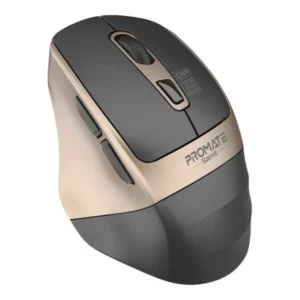
Product details
The Logitech MX Master 4 is the current flagship productivity mouse, released in September 2025 as the successor to the popular MX Master 3S. It introduces significant refinements in tactile feedback, software integration, and physical construction, specifically tailored for power users and creative professionals.
Key Features Logitech MX Master 4 Wireless Mouse
The MX Master 4 builds on the foundations of the 3S by adding an “immersive” element to standard workflow navigation:
-
Haptic Sense Panel: This is the headline feature. The mouse includes a new haptic button (the “Actions Ring” button) that provides physical feedback for actions like snapping windows, adjusting sliders, or switching between desktops. It offers a “trackpad-like” tactile response for digital tasks.
-
Actions Ring Shortcuts: A new customizable software interface that brings a circle of app-specific tools right to your cursor, reducing menu searching and streamlining complex workflows in software like Adobe Creative Cloud or Microsoft Office.
-
Refined Build: Logitech addressed user feedback by replacing some of the older rubberized coating with harder-wearing, more stain-resistant materials while maintaining an ergonomic, hand-cradling silhouette.
-
Native Windows 11 Integration: It is the first productivity mouse to feature native support for Windows 11 Advanced Haptics, allowing users to feel physical “snaps” and “alignments” when organizing windows or working in PowerPoint.
-
8K DPI Darkfield Sensor: Retains the class-leading ability to track perfectly on virtually any surface, including glass and reflective tabletops.
Key Specifications
| Feature | Specification |
| DPI | 200–8,000 DPI (adjustable) |
| Connectivity | Bluetooth Low Energy & Logi Bolt USB-C receiver |
| Battery Life | Up to 70 days |
| Charging | USB-C (1 minute charge = 3 hours of use) |
| Buttons | 8 (including the new Actions Ring button) |
| Weight | ~150g |
| Compatibility | Windows, macOS, Linux, ChromeOS, iPadOS, Android |
Performance and User Experience
-
Workflows: The combination of MagSpeed electromagnetic scrolling and the new Haptic Sense Panel makes this mouse feel more like a tactile control surface than a standard peripheral.
-
Silent Clicks: Following the success of the 3S, the “Quiet Click” technology has been further refined to be even more silent, making it ideal for quiet offices or shared workspaces.
-
Software Ecosystem: Customization is handled through Logi Options+, where users can download plugins for specific apps to enable the full functionality of the haptic feedback and Actions Ring.
Frequently Asked Questions (FAQs)
1. What is the Logitech MX Master 4 Wireless Mouse designed for?
The Logitech MX Master 4 is designed for professionals, designers, programmers, video editors, and business users. Moreover, its ergonomic shape and advanced productivity features make it ideal for long working sessions.
2. Can the Logitech MX Master 4 track on glass?
Yes. Furthermore, the advanced Darkfield sensor allows the mouse to track accurately on glass surfaces that are at least 4mm thick. Consequently, you can work confidently on almost any desk.
3. How long does the battery last?
The Logitech MX Master 4 provides up to 70 days of battery life on a full charge. In addition, a quick USB-C charge delivers several hours of use in just a few minutes. Therefore, you spend less time charging and more time working.
4. Can I connect the mouse to multiple devices?
Yes. Moreover, the MX Master 4 supports Easy-Switch technology, allowing you to pair with up to three compatible devices simultaneously. As a result, switching between your laptop, desktop, and tablet is effortless.
5. Is the Logitech MX Master 4 suitable for creative professionals?
Yes. Furthermore, its high-precision sensor, programmable buttons, MagSpeed scrolling, and Logitech Flow integration help improve efficiency for graphic designers, photographers, developers, engineers, and content creators.
6. Does the Logitech MX Master 4 support customization?
Yes. In addition, the Logi Options+ software allows you to customize buttons, gestures, scrolling behavior, pointer speed, and application-specific shortcuts. Consequently, you can personalize the mouse to suit your workflow.
7. Which operating systems are supported?
The Logitech MX Master 4 supports Windows, macOS, Linux, ChromeOS, iPadOS, and Android. Moreover, it works seamlessly across multiple platforms, making it an excellent choice for users with diverse devices.
8. Where can I buy the Logitech MX Master 4 Wireless Mouse in Kenya?
You can buy the Logitech MX Master 4 Wireless Mouse from Phoneshop Kenya. Additionally, you’ll enjoy genuine Logitech products, competitive prices, an official warranty, excellent customer support, and fast countrywide delivery.
Upgrade your Workspace Today
The Logitech MX Master 4 Wireless Mouse combines exceptional precision, ergonomic comfort, intelligent customization, and advanced productivity features in one premium wireless mouse. Moreover, its 8,000 DPI Darkfield sensor, MagSpeed scrolling, AI-powered software features, and multi-device connectivity make it ideal for professionals, developers, designers, and business users. In addition, its impressive 70-day battery life and USB-C fast charging ensure reliable performance throughout demanding workdays. Therefore, the Logitech MX Master 4 Wireless Mouse is an outstanding investment for anyone looking to maximize productivity and workflow efficiency.
Upgrade your workspace with the Logitech MX Master 4 Wireless Mouse from Phoneshop Kenya. Additionally, you’ll enjoy genuine Logitech products, competitive prices, an official warranty, outstanding customer service, and fast countrywide delivery.